- DATE:
- AUTHOR:
- The SPARK Team
Stop classifying documents one by one. Auto-Classification is here.
Documentation is the backbone of every SBA loan, and SPARK has always kept it organized: every document lands in the right placeholder, and your whole team works from the same complete package.
The one step that's stayed manual is classification itself. When documents arrive in bulk from an applicant, referral partner, or lender, someone on your team has to classify each document before the package can begin to take shape.
Automated Document Classification takes that step off your plate. Tested with a subset of users in beta, the results were clear: beta customers accepted 81% of SPARK's recommendations. Their feedback drove the improvements in the version you're using today.
Here's how it works
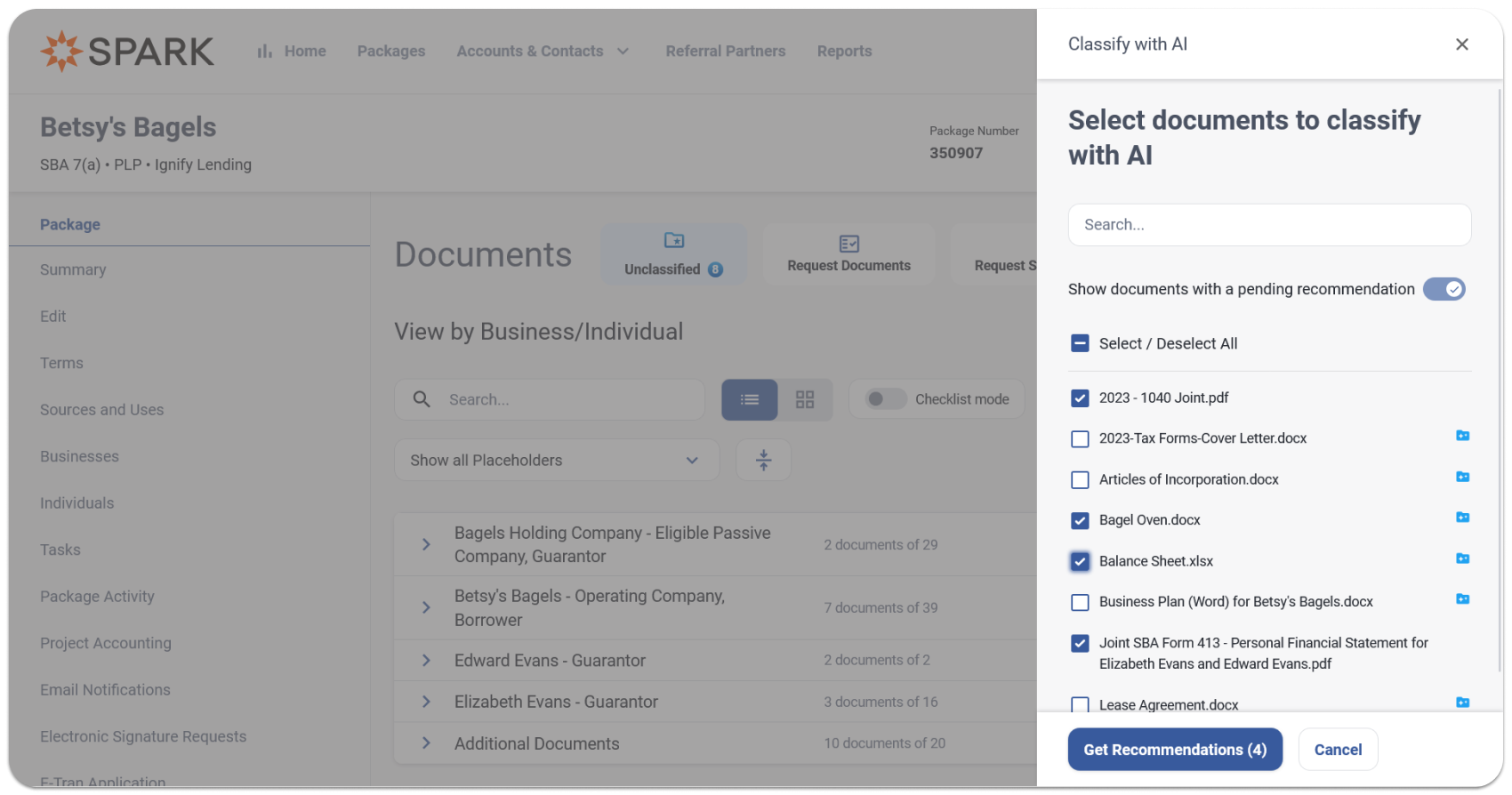
Documents are uploaded in bulk by your team, the applicant, or a referral partner. SPARK securely reads each one and recommends a document type, including the right entity, role, and year. You review, change anything you disagree with, and apply. Your package is organized.
SPARK recommends. You confirm. Nothing is applied until you say so.
Documents are classified on arrival
To see how this plays out, take Barb, a Business Development Officer at Ignify Lending, who just received a strong referral. The referral partner bulk-uploads a set of documents into the package: the borrower's tax returns, the seller's financials, a guarantor's tax return, and bank statements.
In the past, sorting and classifying those documents fell to Barb or her assistant. Now SPARK reads each one the moment it arrives and provides a recommendation. By the time Barb opens the package, the work has already been done.
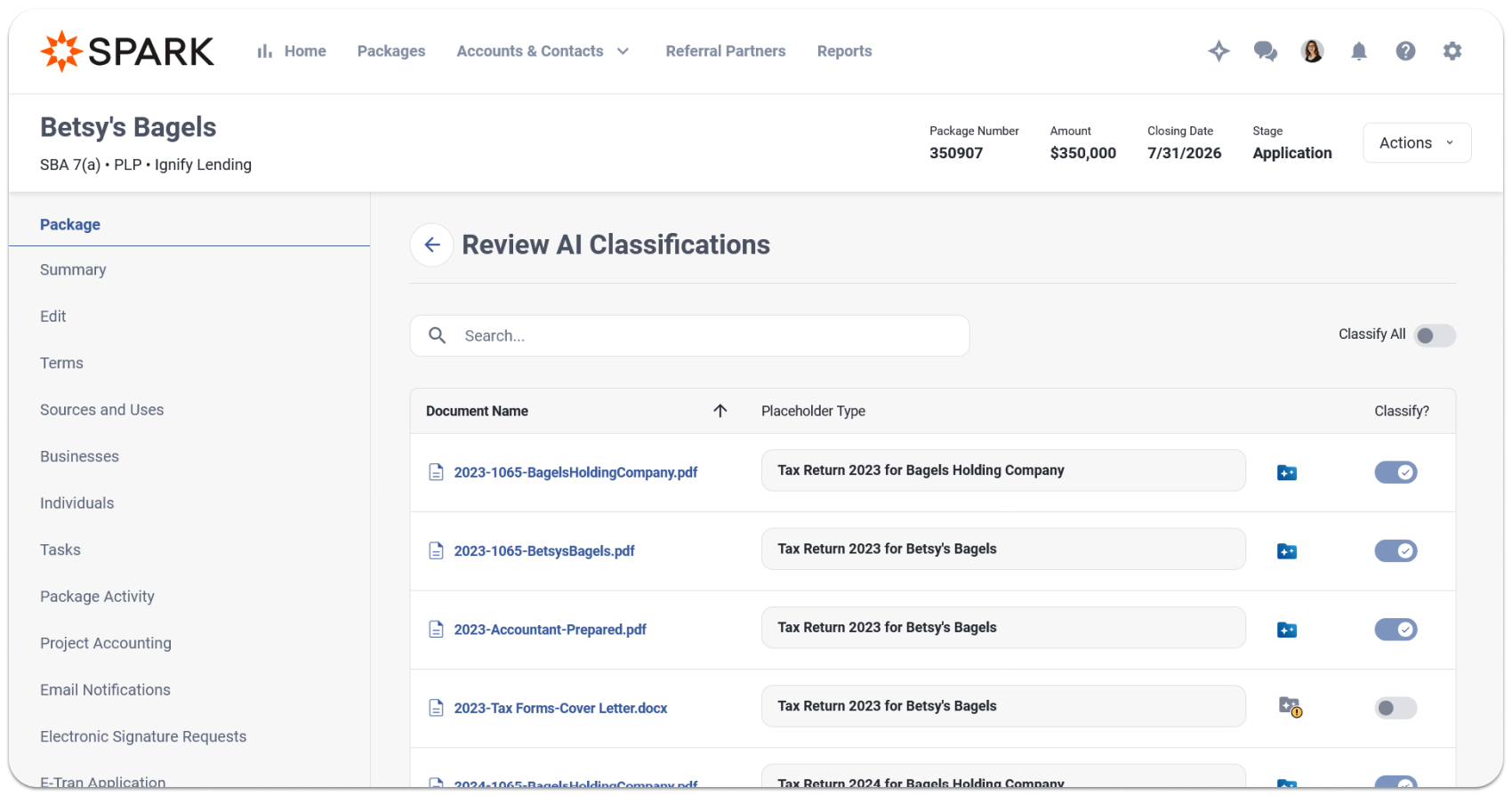
A few documents still need to be collected, so Barb gathers them from the applicant and bulk uploads them herself. As each file lands, SPARK reads it and a recommendation populates in real time.
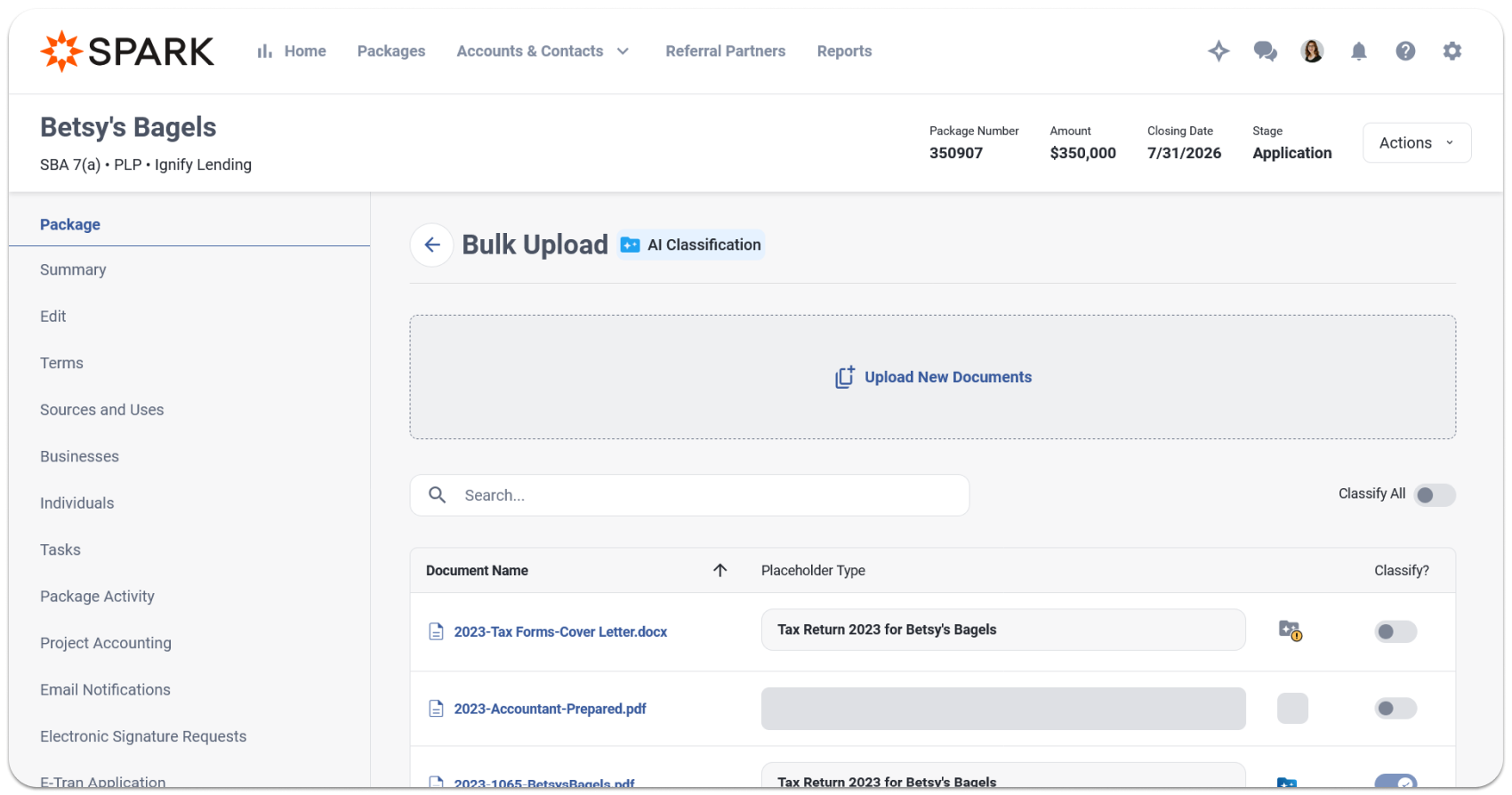
SPARK ties each document to the right entity
Tax returns for borrowers, sellers, guarantors, and affiliates are the same document type for different parties. SPARK ties each one to the right entity and tax year. When the match isn't clear, it flags the classification as low confidence or withholds a recommendation entirely.
This matters beyond Barb's time. A misclassified document means a BDO thinks they have a document for Guarantor A when they actually have one for Guarantor B, and that error can follow the deal all the way to closing.
See the reasoning behind every recommendation
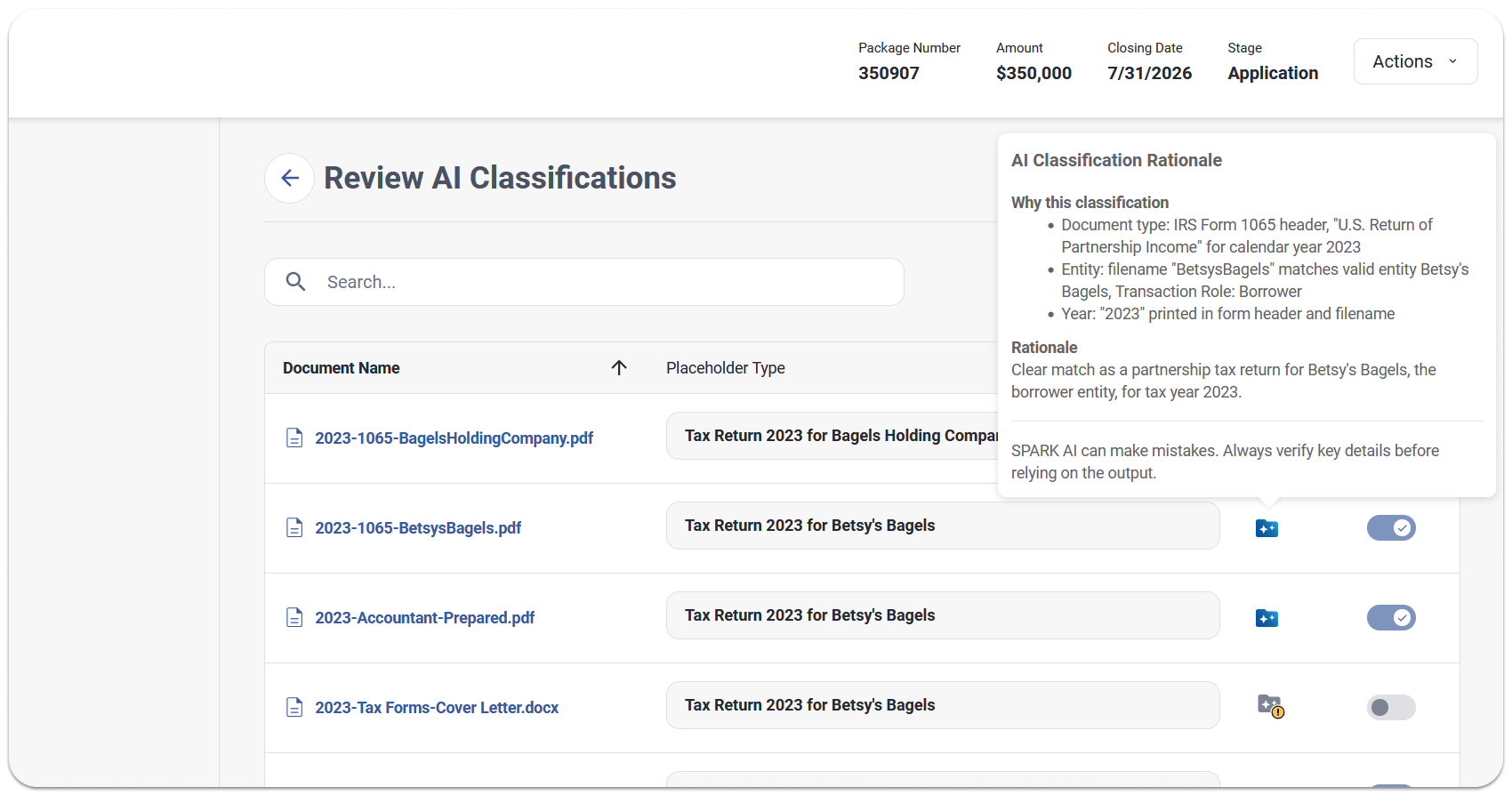
Every recommendation shows confidence level. Strong matches are pre-selected and ready to apply. Low-confidence ones are flagged for a closer look before anything is confirmed.
For any recommendation, Barb can open SPARK's reasoning and see exactly why it landed on that classification. That transparency is what built trust during the beta. One beta customer went from double-checking everything on the first pass to completely relying on automation after just a handful of deals.
Review once, apply the whole batch
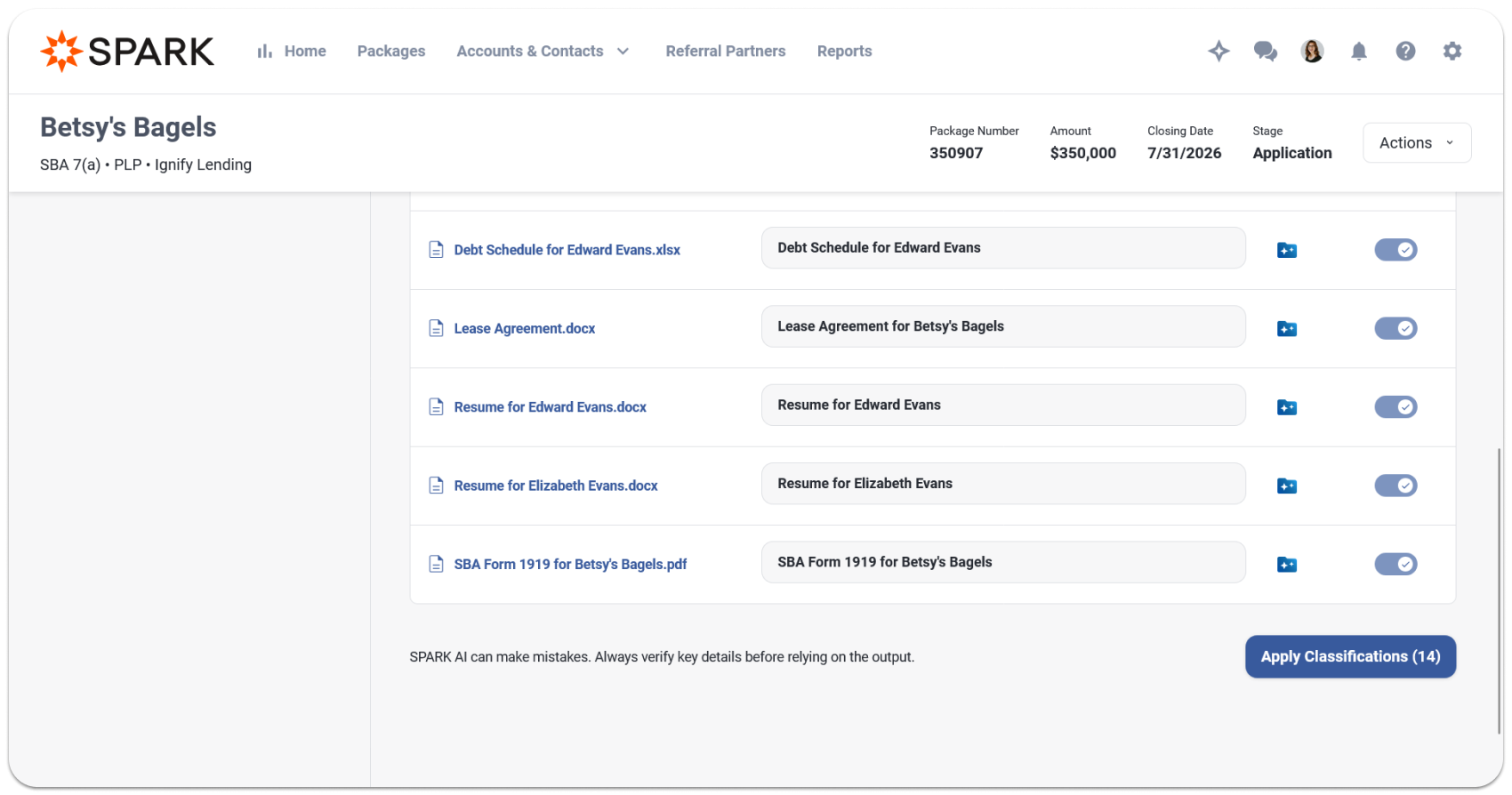
Barb reviews every recommendation on one screen, changes what she disagrees with, and applies in a single step. Applying recommendations won't overwrite any existing documentation. If a matching document exists, SPARK will ask whether you'd like to add it as a new version or create a separate placeholder.
What was a manual first pass through every document now takes a few minutes of review from start to finish. Beta customers cut their classification time on bulk uploads by two-thirds or more. And the time saved scales with batch size.
Stays current as the deal evolves
That first batch came from the referral partner, but documents rarely arrive all at once. A few days later, Caroline the credit analyst is working the file and identifies an affiliate that wasn't included at intake.
Once she adds the missing entity, she sends the earlier documents back through classification. SPARK re-evaluates them against the updated entity structure.
This is the pattern across the whole deal. Classification runs automatically as documents come in, from your team, the applicant, or a referral partner, so whoever opens the file next finds it organized. When deal details change, re-run classification instead of classifying each document manually.
A few things to know
You're always in control. SPARK recommends; you confirm. Nothing is applied without your approval. Everything runs inside SPARK's secure environment.
Broad file support. PDF, Word, Excel, JPG, PNG, and TIFF files, up to the size limit shown on the upload screen.
Part of the SPARK AI module. Auto-Classification is available to all SPARK customers with a signed AI addendum. Your first 25 credits each month are included. After that, credits are available in paid tiers.
Credit usage. Each document consumes credits based on its size and complexity. If your allowance runs out, bulk uploads continue and documents will stay unclassified until credits are available.
Auto-Classification in bulk is permission-based. Your SPARK admin enables bulk Auto-Classification by role, which includes: uploading with AI, reviewing recommendations, and applying classifications in bulk. Users with Document Placeholder access but without bulk permissions can still review and apply recommendations one document at a time.
Ready to get started?
Reach out to your Customer Success Manager to enable Auto-Classification. If your organization has not yet signed the AI addendum, your CSM can get it ready and walk you through setup. We'd love to hear what you think when you've had a chance to use it.